

Description:
This article explains how to sign in to a Gala Games account using the Gala Web3 Wallet Extension.
Purpose:
The Gala Web3 Wallet enables users to securely send and receive GalaChain tokens anytime, anywhere, providing seamless access to digital transactions on the go. This guide walks you through the setup process to ensure a smooth and hassle-free experience.
Assumptions made:
This article assumes the reader understands the information in the following article:
How to create and connect an Accountless GalaChain Wallet using a Web3 Wallet
What is a client| and eth| Wallet Address in the GalaChain Ecosystem
How to import an existing wallet seed phrase into the Gala Wallet Application
Where To Get GALA
Step 1: Install the Gala Web3 Wallet from the Google Chrome store.
- You can download the wallet here: Install Gala Web3 Wallet Extension [GalaChain]
- Click on "Add to Chrome" or your preferred chromium based browser. In this example we will be using Brave browser.
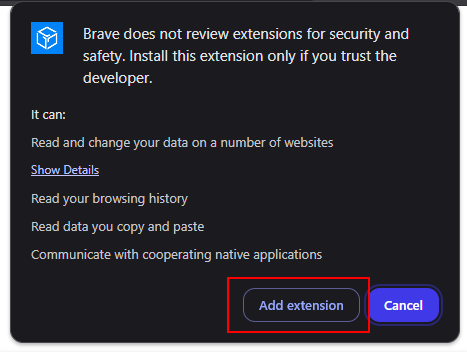
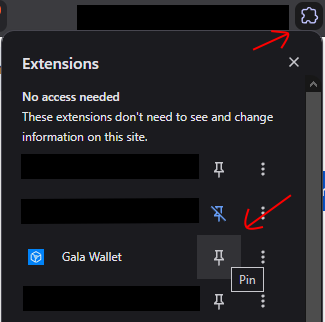
Step 2: Open up the wallet from your browser extensions and choose "I already have a wallet"
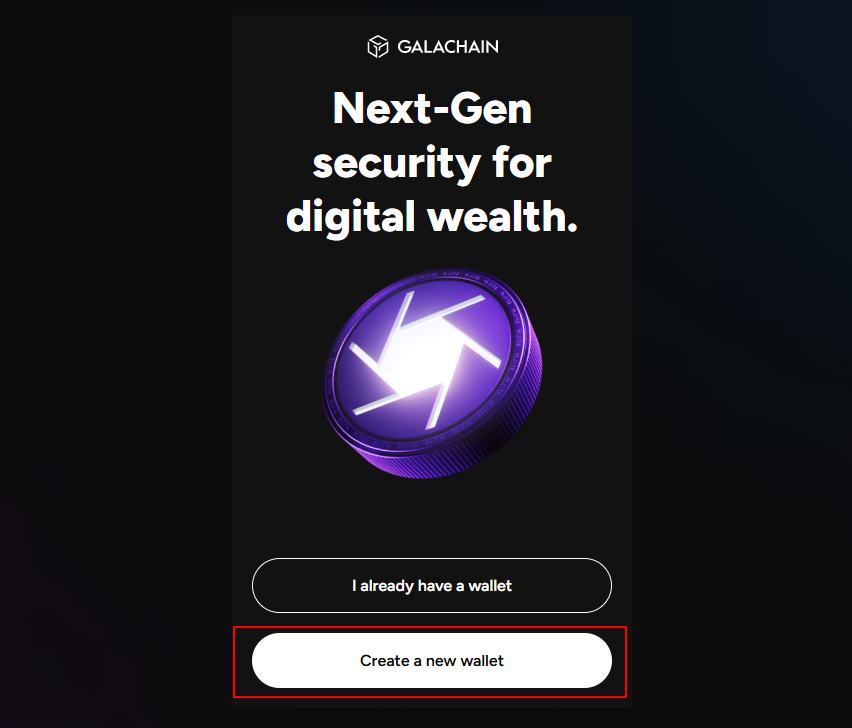
Step 3: Review the Terms & Conditions and Create a Password.
Step 4: Select the option you used to create your Gala Games account.
In this example, we will be using a Email & Password combo.